A Short is a format, not a setting
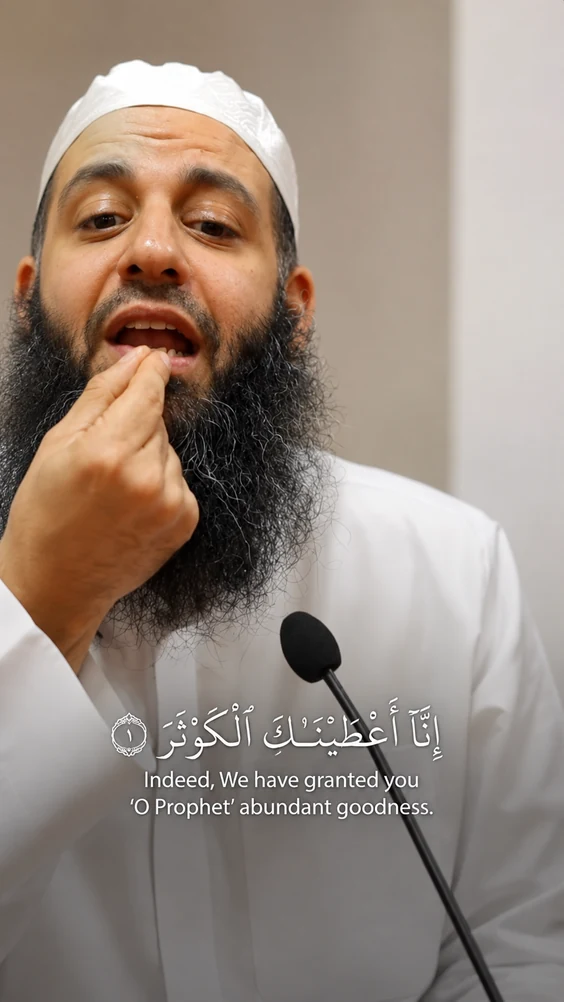
YouTube decides something is a Short from the file itself: vertical or square, and under three minutes. There is no checkbox. Upload a 9:16 video under that length to your channel and it enters the Shorts shelf; upload the same content at 16:9 and it is an ordinary video that nobody swipes past. This is why the crop matters more here than the caption style — get the aspect ratio wrong and the clip is not in the format at all, however good it is.
Clipping your own channel is the cleanest rights position there is
Most short-form workflows raise an awkward question about whose footage it is. Taking Shorts from a long video on your own channel does not. You own both, the Short points back at the source, and YouTube actively rewards channels that do this — a Short that sends people to the full video is doing what the platform wants. If you are clipping someone ELSE’S talk, that is a different conversation and the answer is to ask them first.
One thing to know before connecting: a clip can arrive private
DeenClipped uploads to YouTube ask for public, and the code names `privacyStatus: public` explicitly. Google can still override that and file the video as private, in which case you flip it to public in YouTube Studio — one extra click per clip. The compliance review that was causing this closed in August with no further action required, so it should no longer happen, but we would rather you read the possibility here than meet it unannounced after paying.
What the clip looks like when it arrives
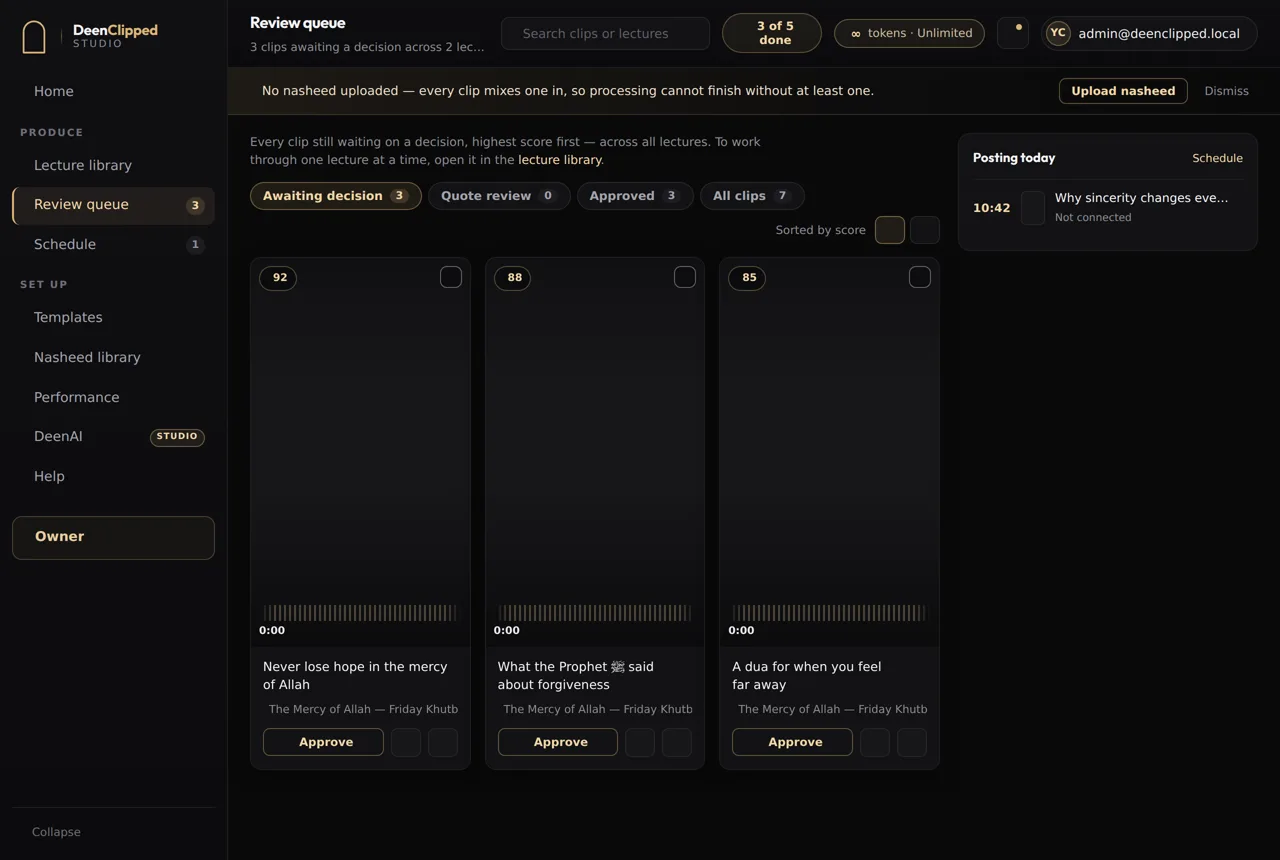
Vertical 1080x1920, cropped from your 16:9 source with face detection following the speaker rather than a fixed centre crop. Captions are burned into the picture and timed to the words as spoken, in one of four modes across five templates — burned in rather than uploaded as a track, because YouTube’s own auto-captions are styled by YouTube and mishear names and terminology. Title and description come across; you approve every clip before any of this happens.
What you will not get here
No view counts, no watch time, no audience figures. YouTube does not send that data back to DeenClipped, and there is no dashboard here inventing it — you read your performance in YouTube Studio, where it is accurate. What this does report is your own workflow: what was made, what you kept, what went out and when.
Questions
How do I turn a long YouTube video into Shorts?
Paste the video’s URL, choose the stretch worth clipping, and DeenClipped transcribes that stretch, scores the moments inside it, crops to 9:16 and burns in captions. You review each clip, and approved ones publish to your connected channel. Only the minutes you select are downloaded and charged.
What are the requirements for a YouTube Short?
Vertical or square aspect ratio and under three minutes. YouTube classifies it from the file, so there is no setting to tick — a 9:16 upload under that length becomes a Short automatically.
Why did my clip upload as private?
DeenClipped asks for public on every upload, but Google can override that and file the video as private regardless of what the request says. If it happens, switch the video to public in YouTube Studio after it arrives. The compliance review that used to force this closed in August.
Do Shorts hurt my main channel?
They are counted separately from long-form watch time, so a Short that people swipe past does not drag down your main videos. The usual advice is to make Shorts that stand alone rather than teasers, because a clip that only makes sense if you watch the full video does neither job well.
Basic includes the whole workflow.
Import a source, generate clips, review every one and publish to your own connected channels. Upgrade when you need more.