The words go into the picture, not into a sidecar file
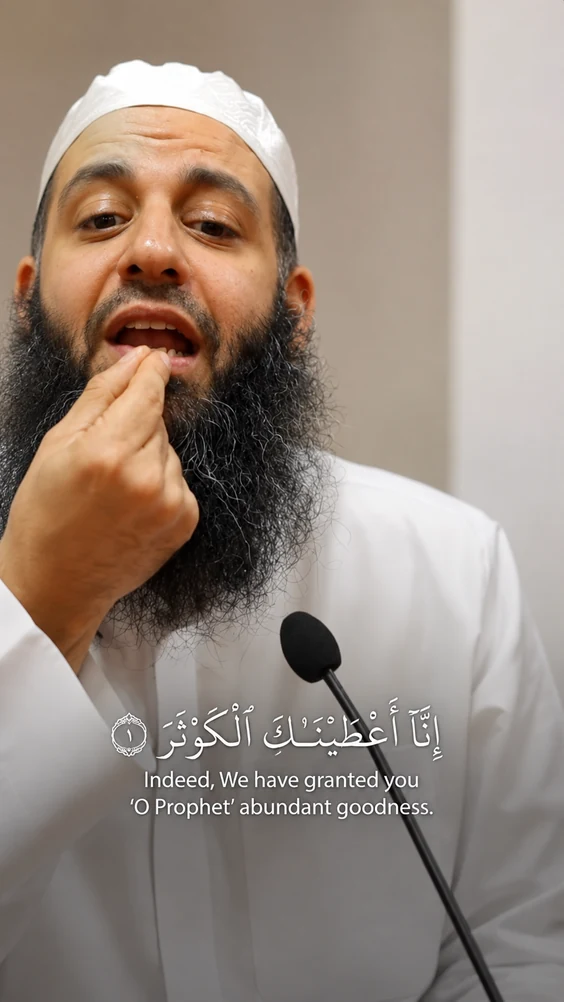
Ask most tools for subtitles and you get a transcript file back, with the job of putting it on the video still yours. DeenClipped renders the words into the picture itself with libass, on the same pass that cuts and frames the clip. What you approve in review is the exact file that posts — same words, same timing, same place in the frame. Clips come out vertical 9:16, cropped from a 16:9 source by face detection rather than a fixed centre crop.
Word-level timing, and a language that can change mid-lecture
Transcription is Whisper with word-level timings, so a word-by-word caption changes on the word rather than on a guess at where the line divides. Language can be pinned to English, Arabic or Urdu, or left on auto-detect. Auto-detect is multilingual and switches per segment, which is the case that usually breaks: a mostly-English talk that drops into thirty seconds of Arabic recitation. The whole file is not forced into one language because of how the first few seconds sounded.
Four caption modes, five templates, no charge for changing your mind
Four caption modes ship: word-by-word, karaoke, phrase and stacked lines. Five templates carry the rest of the look — Bold Stack, Clean Line, Headline, Mono Minimal and Quran Recitation. Trying them against each other is cheap, because the token charge is for the source minutes you selected and nothing after that. Re-rendering a clip in a different style, or cutting more clips from the same lecture, does not charge that source time again. A render that fails, or a clip you reject before export, is never charged.
Arabic and recitation are not captioned like English
Arabic is not English in a different alphabet, so it is not captioned that way. Spoken Arabic that is not scripture gets an Arabic caption with an English line beneath it, from a second translate pass, set in Amiri. Recited Quran is matched against a 6,236-ayah corpus and rendered as the ayah with its translation, not a phonetic guess. The Quran Recitation template captions scripture and nothing else. Anything containing scripture is flagged QUOTE_RISK and forced into human review, and that gate never bypasses. The Arabic and English captions page goes further into it.
You read every line before anything leaves
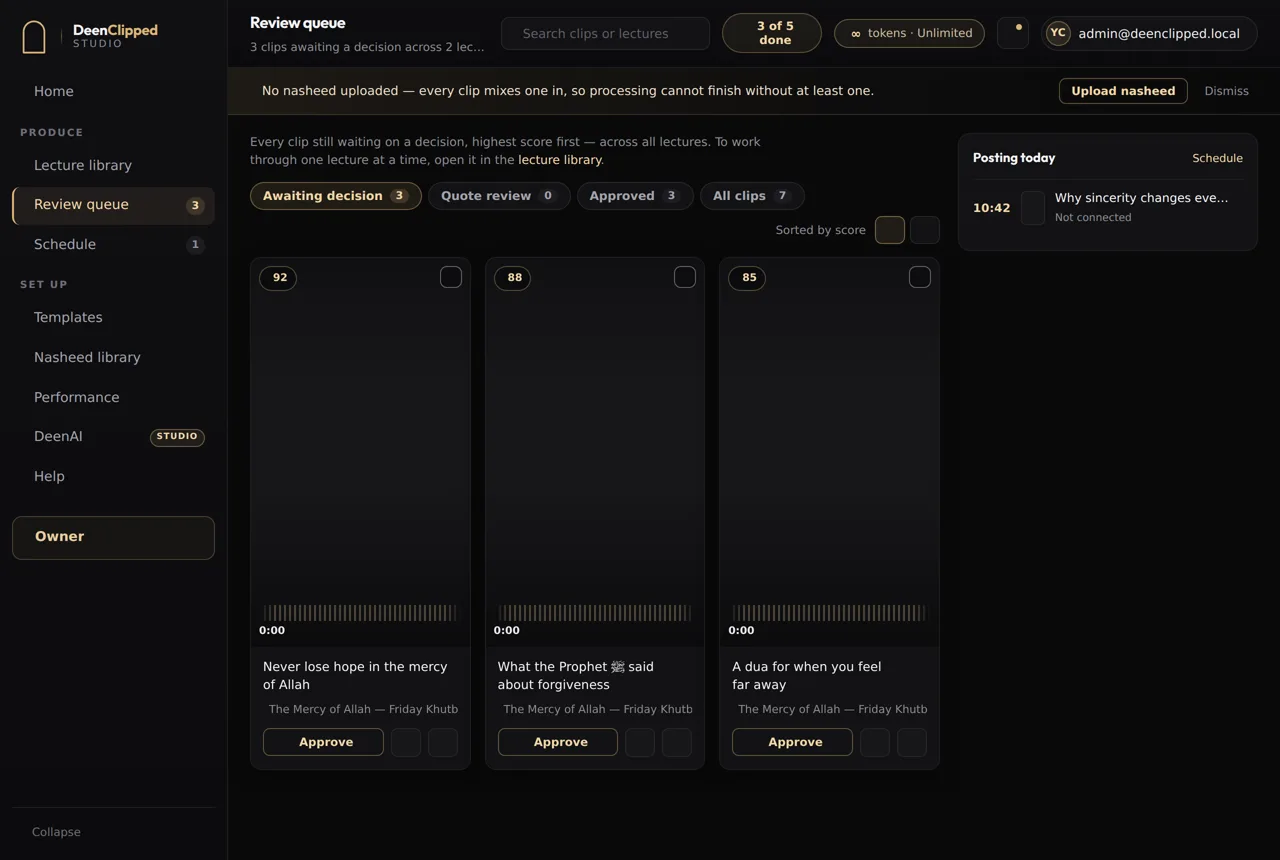
Nothing publishes on its own. Every clip lands in a review queue and waits for a person. You watch the rendered clip itself — not a browser preview drawing its own captions over a source file — with the score and the short reasons beside it, like "complete ending" or "stands alone". Approve, reject or send it back; there are keyboard shortcuts for working through a batch. Approved clips fill posting windows, four a day or eight on Studio, and go out to connected YouTube, TikTok, Instagram and Facebook accounts. Each destination reports its own result.
Questions
Are the captions burned into the video or a separate subtitle file?
Burned in. The words are rendered into the frame with libass as part of the clip, so there is no sidecar file to upload and no platform deciding whether to display it. Timing comes from Whisper's word-level output, so word-by-word and karaoke modes land on the word rather than drifting across the line. The clip you approve is the file that posts.
Can it caption Arabic and English in the same video?
Yes. Leave the language on auto-detect and it switches per segment, so an English talk that drops into Arabic recitation is handled without the whole file being forced into one language. Non-scripture Arabic is captioned in Arabic with an English line beneath it, from a second translate pass, set in Amiri. Recited Quran is matched to a 6,236-ayah corpus and rendered as the ayah with its translation.
How much does the AI caption generator cost?
One token is one source minute, and you are charged for the stretch you select rather than the whole video — pick three minutes of a ninety-minute lecture and you pay three. Basic is free: 40 tokens over a seven-day trial. Pro and Studio are paid, billed weekly, monthly or yearly. Re-rendering a clip in a different caption style costs nothing further, and a failed render is never charged.
Do I have to cut the clip first, or can I give it a full lecture?
Give it the full thing. Paste a YouTube URL or upload an MP4 or MOV, then set a start and end time — thirty seconds is the shortest range you can select. Only that stretch is downloaded and processed. Inside it, moments are scored and cut where a point actually finishes rather than at fixed intervals, then framed vertically and captioned.
Basic includes the whole workflow.
Import a source, generate clips, review every one and publish to your own connected channels. Upgrade when you need more.