It cuts where the point ends
Most of the quality in a clip comes down to where the cuts land. DeenClipped transcribes your selection with Whisper, word by word, then a self-hosted model reads that transcript, scores the candidate moments and says why it picked each one. The reasons are short and checkable: complete ending, question hook, stands alone. So a clip starts where the thought starts and ends where it lands, rather than at whatever second a fixed interval happened to fall on. The score and the reason travel with the clip, so you can judge the judgement.
Nothing publishes until you say so
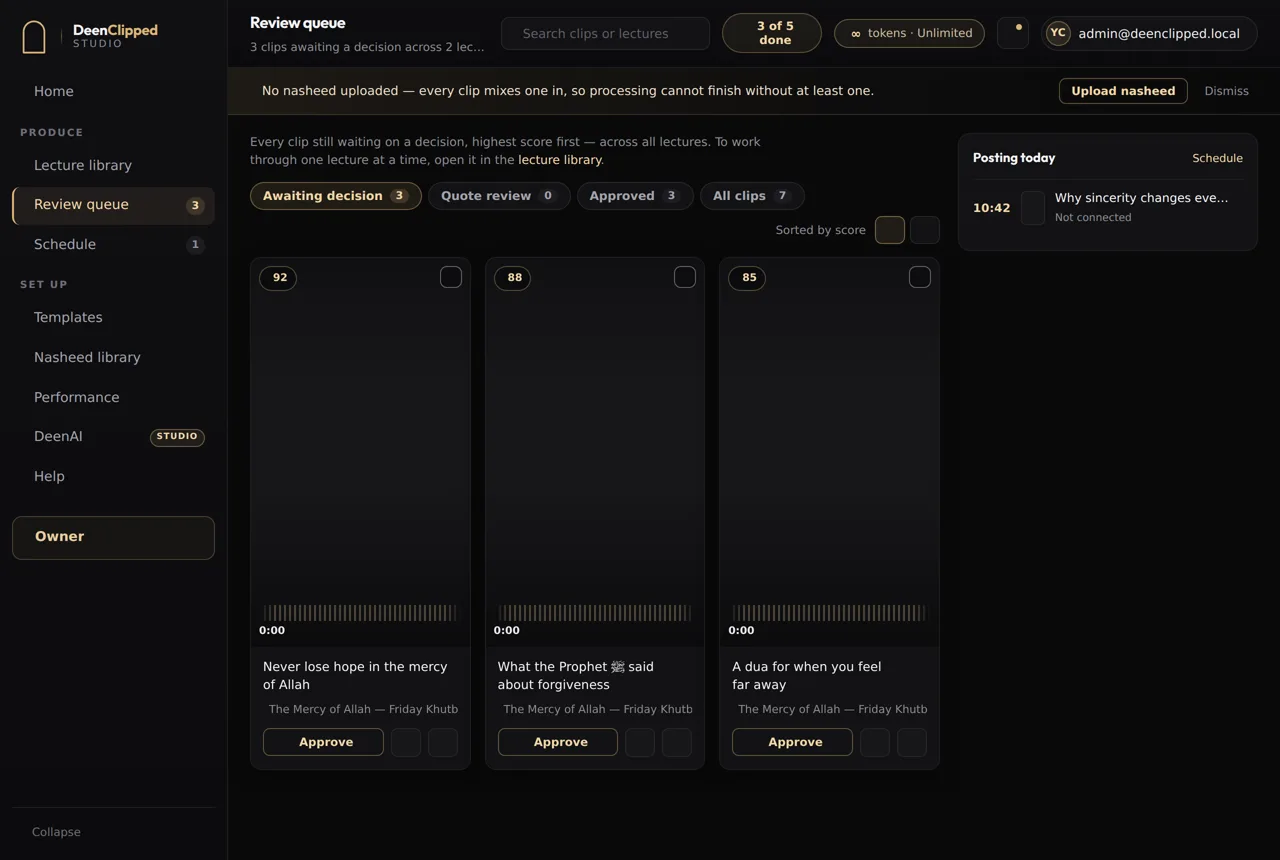
Every clip lands in a review queue and stays there. You watch the rendered file itself — the exact video that would post, captions burned in and all — with its score and reasons beside it. Approve, reject, or send it back for another render. Keyboard shortcuts make that quick when a dozen are waiting. There is no setting that skips this step. Clips containing recited scripture are flagged and forced through human review even under automation, because an AI video clipper should never be the last check on a verse.
Captions in the language that was actually spoken
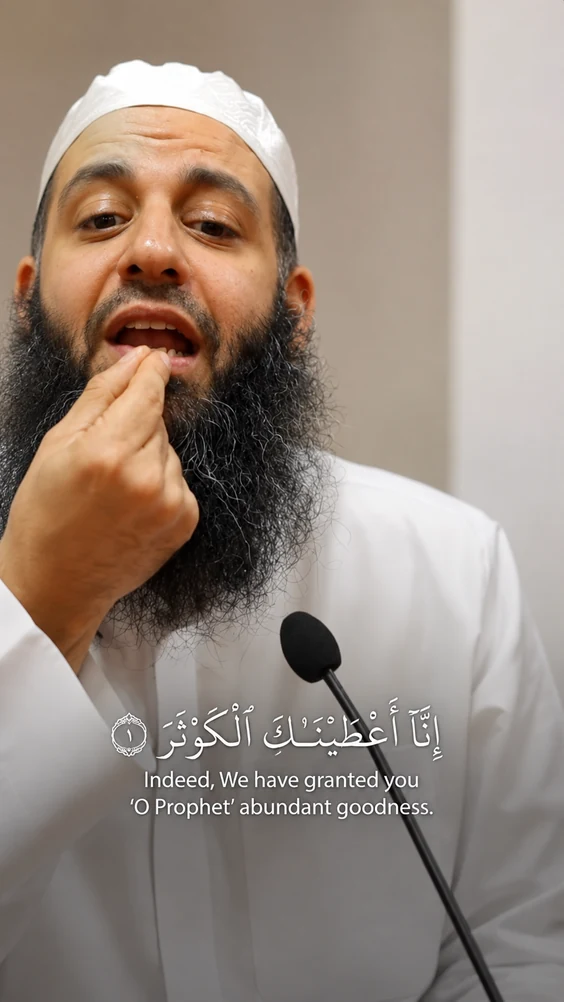
Word-level timings come out of the transcription, and captions are burned in with libass — word-by-word, karaoke, phrase or stacked lines, across five templates. Pin the language to English, Arabic or Urdu, or leave it on auto-detect, which switches per segment instead of guessing once from the opening seconds. An English talk containing Arabic recitation is handled as both. Recited Quran is matched against the 6,236-ayah corpus and rendered as the ayah with its translation, in Amiri. Other Arabic speech is captioned in Arabic with an English line beneath it.
Framing, audio, and where approved clips go
Face detection crops the 16:9 source to vertical 9:16 and keeps the speaker in frame. A nasheed is mixed underneath and ducked below the speech, and it can be switched off for a job. Once you approve, clips fill posting windows — four a day, eight on Studio — and publish to your connected YouTube, TikTok, Instagram and Facebook accounts. Each destination reports its own state, so one platform refusing a post does not mark the whole clip failed. You retry that leg on its own.
You are charged for the minutes you choose
One token is one source minute, and you choose the stretch. Set a start and end inside a ninety-minute lecture and only those minutes are downloaded and processed. The shortest selectable range is thirty seconds. Cutting more clips from the same lecture costs nothing further, and neither does re-rendering or editing one you already have — those source minutes were paid for once. A failed render is never charged, and neither is a clip you reject before export. Basic is free, with 40 tokens to try it on something real. If you are weighing this against a general tool, there is an honest comparison of what each does better.
Questions
How does an AI video clipper decide which parts to keep?
This one reads the words, not the picture. Your selected stretch is transcribed with word-level timings, then a self-hosted model scores the candidate moments and returns a short reason for each: complete ending, question hook, stands alone. Cuts land on complete thoughts rather than on a timer. The score and reason go into the review queue with the clip, so the decision is yours and you can see what it was based on.
Does it post clips automatically?
No. Every clip waits in a review queue for a human decision. You watch the rendered file, then approve, reject or send it back. Approved clips drop into posting windows and go out to the accounts you have connected. Clips containing scripture are pushed through review no matter what automation is switched on, and that gate cannot be turned off.
Do I have to process the whole video?
No, and it would be a waste to. Paste a YouTube URL or upload an MP4 or MOV, then set a start and end time. Only that stretch is downloaded and processed, and only those minutes are charged, at one token per source minute. Thirty seconds is the shortest range. Picking three minutes out of a long lecture costs three minutes, not ninety.
Can it handle Arabic, or a talk that switches languages?
Yes. Language can be pinned to English, Arabic or Urdu, or left on auto-detect, which switches per segment instead of deciding once from the opening seconds. Arabic speech that is not scripture is captioned in Arabic with an English line beneath it. Recited Quran is matched against a 6,236-ayah corpus and rendered as the ayah with its translation, set in Amiri.
Basic includes the whole workflow.
Import a source, generate clips, review every one and publish to your own connected channels. Upgrade when you need more.